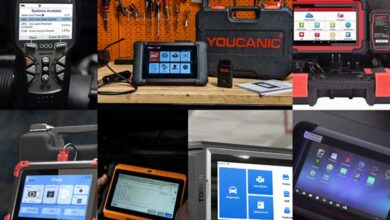
When choosing a professional-grade automotive scanner for personal DIY use, two contenders often emerge: the Thinkcar THINKSCAN 689BT and the YOUCANIC UCAN-II-C Pro. Both promise advanced diagnostic capabilities, full-system scanning, bi-directional controls (active tests), special functions, and free software updates at a fraction of the cost of traditional dealer tools. However, there are key differences in their feature sets, support, and long-term value. This article provides a detailed comparison of the Thinkcar 689BT versus the YOUCANIC UCAN-II-C, including pros and cons of each, to help you decide which is better suited for a serious DIY enthusiast. We’ll also explain why, after extensive research, YOUCANIC came out as the preferred choice for a primary personal scan tool.
YOUCANIC UCAN-II-C: Overview and Key Advantages
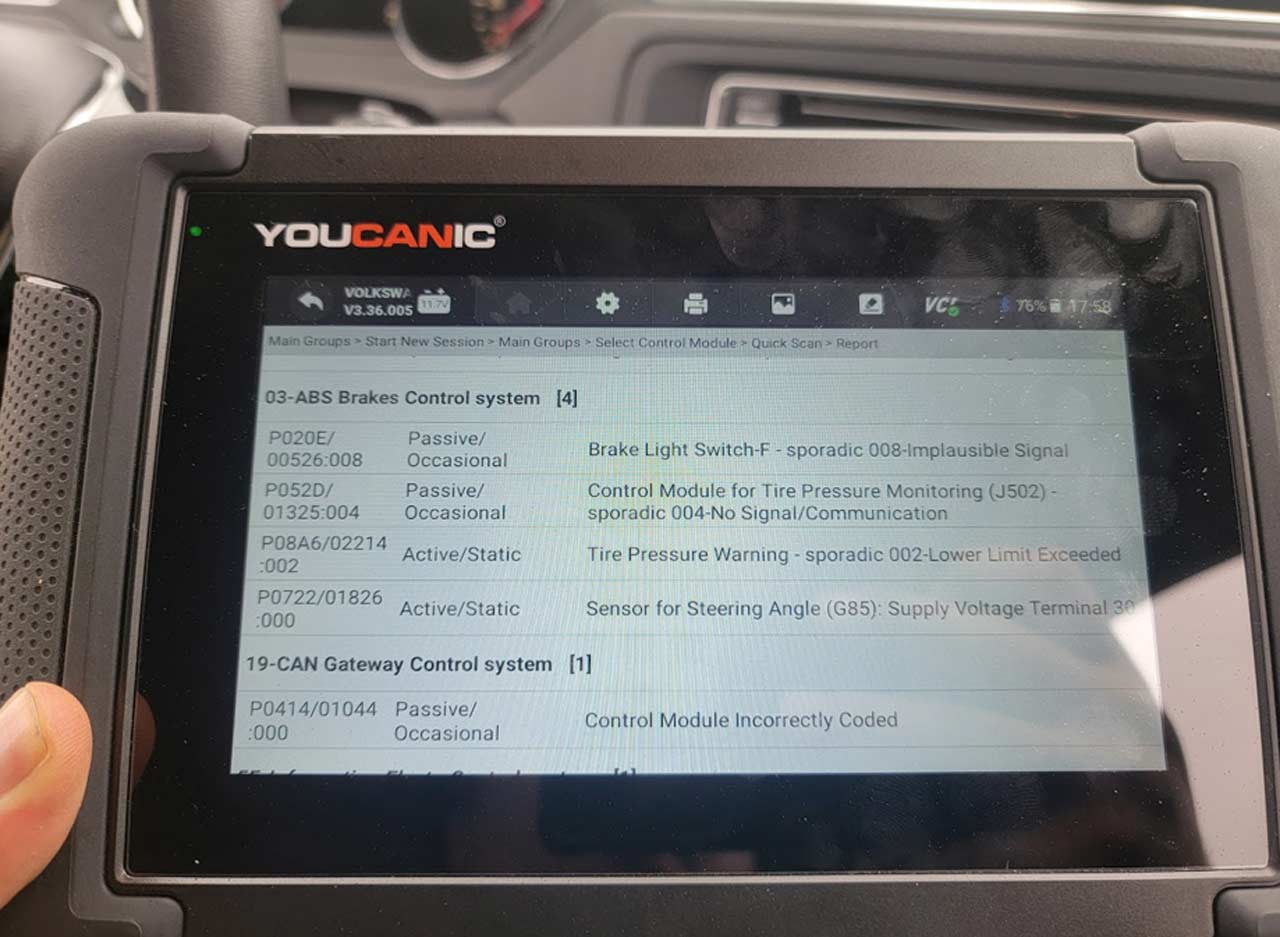
The YOUCANIC UCAN-II-C Pro OBD2 Scanner is a full-system diagnostic tool offered by YOUCANIC, a U.S.-based company (headquartered in Maryland and founded by Rushit Hila, an Albanian-American engineer and inventor). YOUCANIC is somewhat unique in the scan tool market: before launching hardware, the company spent years in the automotive education space, producing DIY repair guides and how-to videos, and they still do. Their YouTube videos have reached over 66 million views as of 2025. Their scanner, first released in 2021, was designed with the DIY enthusiast in mind, emphasizing user-friendly design, robust functionality, and strong post-purchase. It’s marketed as a device that “empowers” car owners and mechanics to tackle repairs themselves, in line with the brand’s educational mission.
Key Features: The YOUCANIC UCAN-II-C (often just called the YOUCANIC Full-System Scanner) provides similar capabilities to the Thinkcar, with a few noteworthy differences:
- All-System Diagnostics: The YOUCANIC scanner can access every module in the vehicle to read/clear fault codes and view live data, just like OEM-level tools. Engine, transmission, ABS, airbag (SRS), body control, immobilizer, climate control, suspension – you name it, it’s covered. Owners report that if a car has a certain system, the YOUCANIC scanner will communicate with it, even for advanced systems like adaptive suspension or HVAC blend motors. This comprehensive coverage means DIYers aren’t limited to engine codes; you get the full picture of the car’s health.
- Bi-Directional Controls (Active Tests): YOUCANIC’s device supports bi-directional communication to perform active tests on components and actuators. For example, you can command an ABS pump to run, cycle door locks or radiator fans, initiate a DPF regeneration, etc., through the scanner. In practice, YOUCANIC actually offers more active tests and special functions on some vehicles than certain competitors. One comparison noted YOUCANIC has “more bidirectional active tests and over 40 maintenance functions” that some other mid-range tools lack. This indicates a very extensive function list – on par with or exceeding the Thinkcar’s advertised 34+ service functions. Common procedures like throttle body alignment, injector coding, brake bleed, steering angle reset, battery reset, and many manufacturer-specific functions are supported.
- Live Data and Graphing: Like any high-level scanner, YOUCANIC shows live sensor data and even allows graphing multiple PIDs simultaneously. This is useful for diagnostics (e.g., graphing O2 sensor voltages or wheel speed sensor readings). A user example: by graphing all four wheel speed sensors during a drive, one could quickly identify a faulty sensor that read zero while others showed speed. The interface allows combining graphs for comparison, a feature that greatly aids in troubleshooting intermittent issues.
- Hardware & Interface: The scanner is built on an Android platform as well with a quad-core 1.3 GHz processor and 64GB storage. It has a 7-inch TFT LCD touchscreen which is designed to be daylight-readable and even glove-friendly. The device boots up quickly (in seconds) and has a straightforward, intuitive menu system. In fact, ease of use is a major selling point – the YOUCANIC interface is deliberately made less intimidating than typical professional scanners, with clear menu prompts and on-screen instructions for functions. Many users comment that it’s very easy to navigate even without reading the manual, which is beneficial for DIYers who might be new to advanced scan tools. The scanner uses a wireless Bluetooth VCI (Vehicle Communication Interface) that plugs into the OBD-II port, allowing you to move around the vehicle with the tablet in hand. A built-in rechargeable battery (5000 mAh) powers the unit, and WiFi connectivity enables direct updates and even remote support sessions.
- Free Lifetime Updates & Frequent Improvements: YOUCANIC provides free software updates for the lifetime of the product. There are no subscriptions or additional fees at all. Updates are delivered via WiFi and are as simple as tapping an “Update All” button. The company updates its software quite frequently (comparatively more often than some competitors), adding new vehicle coverage and functions. As a result, the tool stays current with newer models, and any bug fixes or feature enhancements are passed to all users at no cost. This approach reflects YOUCANIC’s strategy of building long-term value; they explicitly highlight that ongoing support and free updates keep the scanner “relevant and effective for years to come”.
- Diagnostic Guidance & Support Resources: Here’s where YOUCANIC really differentiates itself. The scanner doesn’t just provide raw data – it’s backed by the company’s vast library of repair guides and videos. The device itself has a feature that, when connected to WiFi, can offer built-in support for trouble codes – for instance, if you pull a fault code, the scanner can link to relevant how-to information or common fixes for that code. Beyond the device, YOUCANIC’s website is loaded with free resources (2 million+ visitors monthly use their guides). Customers get access to a library of DIY repair tutorials, videos, and one-on-one technical support. Essentially, YOUCANIC not only identifies the problems but also helps coach you through solving them, which is a huge plus for a DIY mechanic who might not have dealer repair manuals on hand. This reflects the company’s motto – “You Can Be The Mechanic” empowering users to fix issues themselves with guidance.
Pros of YOUCANIC UCAN-II-C:
- USA Company with Personal Support: When you purchase YOUCANIC, you’re dealing with a U.S.-based team (support and design in Baltimore, MD). This means faster, more accessible customer support for English-speaking users. Customers consistently praise the support – emails and calls are answered promptly by knowledgeable staff (often same-day responses). The company can even remote into your device (with permission) to assist or troubleshoot if you hit a snag. This level of service is a stark contrast to many offshore tool makers. For a DIYer who might need occasional help understanding a function or diagnosing an unusual issue, having the manufacturer’s tech support readily available is invaluable. The emphasis on customer success is evident: YOUCANIC explicitly offers a 30-day money-back guarantee, free priority shipping, and has a no-hassle return policy, reflecting confidence in their product and a customer-centric approach. In short, YOUCANIC offers peace of mind that if you run into any issues, a real person is there to help – a point many buyers found more important than a slightly larger screen or a few extra specs on paper.
- No Nickel-and-Diming – Truly All-Inclusive: With YOUCANIC, the price you pay (~$490 USD retail on their site) is all-inclusive. There are no extra licenses to buy per make, no annual renewals, and all features are unlocked. This contrasts with some competitors that charge for premium functions or brand packages. One car enthusiast noted that they specifically liked “you didn’t have to pay a subscription” and that the scanner came ready to use out of the box for all makes. Free lifetime updates ensure the tool’s longevity without hidden costs. This makes the YOUCANIC scanner’s value proposition extremely high it delivers pro-level functions with zero ongoing cost, which over a few years can save hundreds compared to tools that require subscriptions or new hardware for new car models.
- Rich Educational Resources: As mentioned, YOUCANIC doesn’t just drop a tool in your hands; they also provide the knowledge to use it effectively. The scanner’s integration with how-to resources and the company’s background in DIY education means owners can more readily interpret the data and take action. For example, if you retrieve a fault code for an ABS sensor, YOUCANIC likely has a step-by-step guide or video on their website for testing or replacing that sensor. Many owners found this extremely helpful; in reviews, people describe how the YOUCANIC scanner “turned what would’ve been an expensive, frustrating trip to the dealership into a DIY project” thanks to its coverage, easy interface, and helpful customer service. Essentially, the tool is part of a larger support ecosystem for car repair. This adds confidence for DIYers taking on repairs they haven’t done before.
- Ease of Use & Interface: The YOUCANIC UCAN-II-C is praised for its intuitive user interface. Even those who are not professional mechanics quickly get comfortable with it. Menu navigation is logical (e.g., you select the car, then system, then function without cryptic acronyms). The touchscreen is responsive, and the device provides clear on-screen prompts (like “Turn ignition on” or instructions for certain resets). Compared to some older scanners that required manual codes or had clunky navigation, this is a welcome change. In a published comparison, it was noted that “even without instructions,” the YOUCANIC was very easy to use, more so than even some OEM dealer software in terms of user-friendliness, according to com. For a DIY user, this means less time learning the tool and more time fixing the car.
- Robust Functionality & Active Tests: In real-world use, the YOUCANIC has proven to cover virtually all the same advanced functions that the Thinkcar does, with a similarly wide vehicle coverage. It has performed complex tasks like bi-directional tests and module coding (e.g., battery registration or injector coding) reliably across various makes youcanic.com. One reviewer who used both YOUCANIC and a competitor noted that YOUCANIC supported “maintenance functions missing” on the other tool and had broader coverage in their fleet. Another user reported being able to do things like activate ABS pumps, run relearns, and view extensive live data with ease. The device’s capabilities have even drawn comparisons to tools that cost much more – owners feel they’re getting “dealer-level access” in an affordable unit. And importantly, all of this comes without any extra paywalls or locked features.
- Build Quality and Portability: The scanner tablet and accessories are built to be durable. It comes with a rugged carrying case and various OBD connector adapters (for older pre-OBDII cars, heavy trucks, etc., in the Pro package). The hardware is sturdy enough for garage use, and the wireless VCI means you’re not tethered under the dash – a nice convenience when running tests under the hood. The device can also print or email reports directly over WiFi, which is handy for record-keeping or sharing data with others.
Cons of YOUCANIC UCAN-II-C:
- Smaller Screen: The most obvious hardware difference is the YOUCANIC’s 7-inch display versus the Thinkcar’s 8-inch. While 7” is still plenty usable, it does mean slightly less screen real estate for graphs or split-screen data. A few users have commented that they “wish the screen was larger,” according to com, especially if they were used to larger tablets. In practice, the YOUCANIC is generally fast and smooth for most tasks, but it might take a second or two longer to load very large data sets or vehicle scans compared to a higher-spec tablet. One reviewer noted they wished “the unit was a bit faster,” though they still felt “for the price it is good value” trustpilot.com. Unless you frequently use both tools side by side, this speed difference is minor – but on paper, the Thinkcar has an edge in raw hardware.
- Smaller Company, Fewer Reviews: YOUCANIC is a newer entrant in the hardware arena (established in 2016, scanner released 2021), so it doesn’t have decades of brand recognition like some competitors, like Autel or Launch. It also isn’t sold on large marketplaces like Amazon (YOUCANIC sells direct to maintain support quality youcanic.com), which means you might not find as many user reviews immediately. However, the reviews that do exist are overwhelmingly positive. Trustpilot, for instance, shows YOUCANIC with an Excellent 4.4/5 rating and 92% 5-star reviews at trustpilot.com. Customers particularly highlight the helpful support and the scanner delivering on its promises. So while YOUCANIC might have a smaller footprint than a big Chinese brand, its reputation among users so far is strong. It just requires a bit more effort to find those testimonials (on forums, their site, Trustpilot, etc.) since it’s not plastered all over retail sites.
- Not Focused on Professional Shop Features: The YOUCANIC is aimed at DIYers and small shops, and it excels at that. But very high-end professional features like extensive ECU programming/coding for installing new modules, or factory tooling for reflashing ECUs, are beyond its scope (just as they are for the Thinkcar at this price). For 99% of DIY scenarios, this isn’t a limitation, but it’s worth noting that if your needs ever advanced to things like immobilizer reprogramming or dealer online coding, you’d need brand-specific tools. The YOUCANIC’s strength is in covering all diagnostic and maintenance functions without requiring those proprietary tools, but it doesn’t replace them for every possible dealer operation (nor does the 689BT). In essence, both scanners are extremely capable for diagnostics and troubleshooting, but not intended for deep factory programming, which is an acceptable trade-off in this category.
Overall, the YOUCANIC UCAN-II-C stands out as a DIY enthusiast’s dream tool – it combines robust diagnostic power with user-friendliness and unmatched support. The lack of ongoing fees and the wealth of guidance provided significantly enhance its long-term value. Many owners describe it as “an exceptional investment” that pays for itself by enabling them to fix issues on their own. While its screen and hardware are a bit less hefty than the Thinkcar, YOUCANIC chose to prioritize support and reliability – and for a personal user, those priorities make a lot of sense.
Thinkcar 689BT: Overview and Key Features
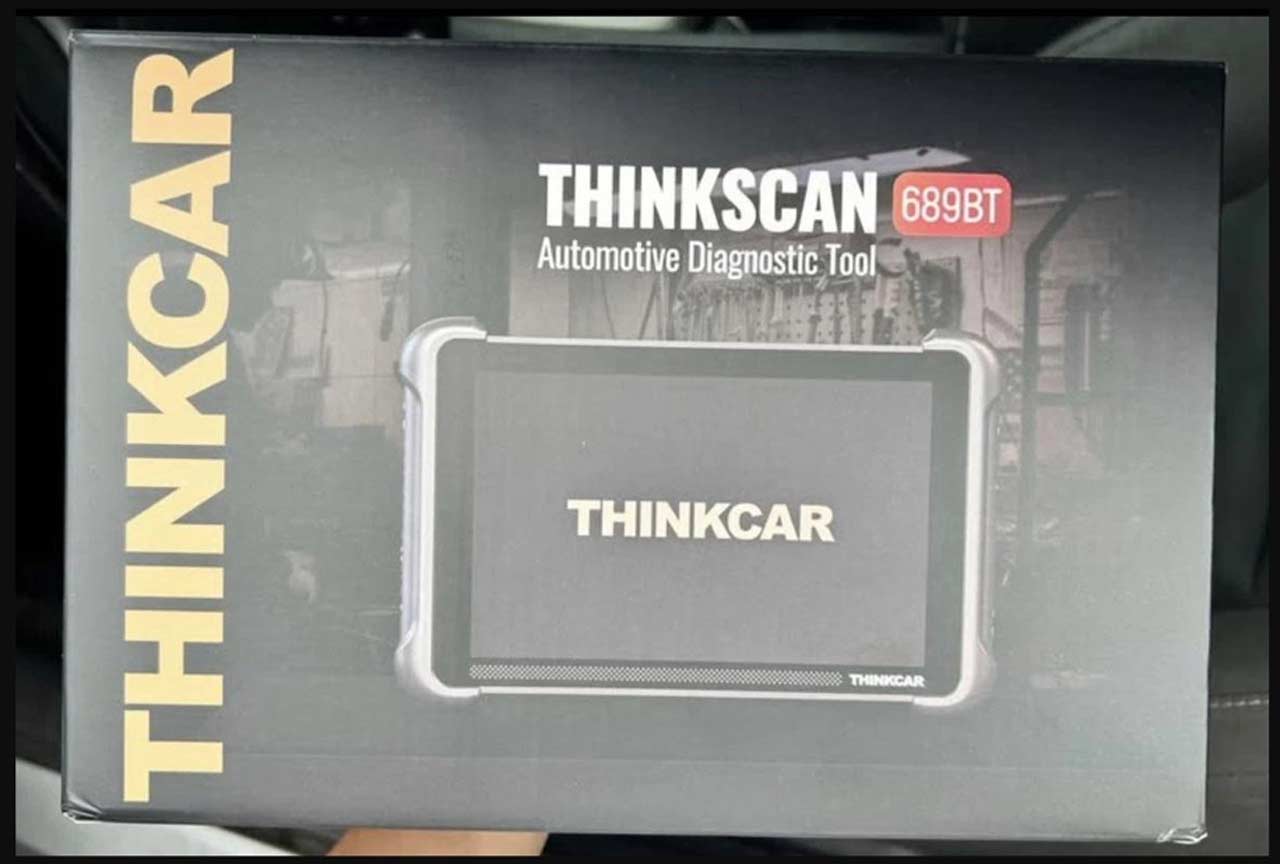
The Thinkcar 689BT is an 8-inch touchscreen Android-based diagnostic tablet from Chinese manufacturer Thinkcar. Thinkcar has released various scan tools in recent years – many of which required purchasing individual manufacturer software or paid updates after an initial period. Uniquely, the 689BT model advertises free lifetime software updates with no subscription fees, marking a departure from Thinkcar’s previous subscription-based models. This has made the 689BT especially attractive to budget-conscious users who want to avoid recurring costs.


Key Features: The Thinkcar 689BT offers an impressive array of functions on paper:
- Full-System Diagnostics: Ability to read/clear codes and view live data from all vehicle systems/modules (engine, transmission, ABS, airbag, TPMS, body, etc.), with broad vehicle coverage (140+ makes worldwide). It supports newer protocols like CAN-FD and DoIP for modern vehicles.
- Bi-Directional Active Tests: The 689BT can send commands to various car components to perform active tests (also known as actuator tests). Thinkcar advertises “3000+ Active Tests,” allowing functions like EVAP leak tests, injector buzz tests, cycling door locks and windows, fuel pump activations, etc., all through the scanner’s interface. This helps DIY mechanics verify the operation of components in real time.
- Service Functions and Resets: It comes with 34+ special maintenance functions (and growing), such as Oil Light Reset, Electronic Parking Brake (EPB) service, Battery Registration (BMS), Steering Angle Sensor (SAS) calibration, DPF regeneration, ABS brake bleeding, Injector coding, Gearbox relearn, Crankshaft position relearn, and more. Notably, an update in 2024 added new reset functions like clutch adaptation, ECU reset, and turbo calibration, extending its capabilities.
- ECU Coding & Customization: The 689BT goes beyond basic OBD-II by offering certain ECU coding and adaptation capabilities. For example, Thinkcar advertises the ability to perform “flash hidden functions” and customize OEM settings on supported vehicles – such as changing interior light colors, enabling/disabling auto start-stop, auto-hold, or automatic mirror folding, etc. These coding functions can tailor vehicle features, though availability varies by make/model and they are not full programming of new modules. There is also a lack of clarity if on which vehicle makes and models these functions are available on.
- Hardware & Performance: Running on Android 10 with a quad-core CPU, 4GB RAM, and 64GB storage, the 689BT is relatively powerful for a scan tool. The device boasts fast boot-up and operation – Thinkcar claims it’s up to 5× faster than older generation scanners. The large 8-inch IPS touchscreen (approximately 20 cm) provides a roomy interface for viewing live data graphs or reading lengthy diagnostic trouble code descriptions. Built-in WiFi allows one-touch software updates and internet connectivity for uploading reports. The scanner is also battery-powered, so it can be used portably (rechargeable battery size not specified, but likely around 5000 mAh similar to peers).
Pros of Thinkcar 689BT:
- Comprehensive Functions: Delivers dealer-level access to all systems and includes extensive active tests and service routines. It essentially packs the functionality of a high-end shop tool (Thinkcar equates it to their pro-grade THINKTOOL series) into a DIY-friendly package. Users can perform advanced tasks like power balance tests, adaptation resets, and module coding that are typically impossible with basic code readers.
- Free Lifetime Updates (Promised): Unlike earlier Thinkcar products that came with 1-2 years of free updates, then required a paid subscription, the 689BT’s software updates are advertised as free for life with no subscription fees. This could save hundreds per year in subscription costs, theoretically allowing the tool to stay current with new vehicle models and features indefinitely. (Note: the device provides a portal for FCA Secure Gateway access on 2018+ Fiat/Chrysler vehicles, but the user still must separately pay for an official FCA account if needed; this is a manufacturer requirement, not a scanner subscription.)
- High Hardware Specs & Large Display: The quad-core Android tablet with 4GB RAM makes for smooth and responsive operation, and the 8″ touchscreen is larger than many competitors in this class. The generous screen real estate is a big plus when viewing multiple live data PIDs or reading graphs. One user noted the interface is snappy with “no more slow and delayed feedbacks” compared to older devices.
- Broad Vehicle Coverage: Thinkcar claims coverage for over 140 car brands (U.S., Asian, European, etc.), essentially all OBD2-compliant vehicles from 1996 onward. This makes it suitable for a DIY mechanic who works on a variety of makes. It also supports advanced protocols like CAN-FD and DoIP needed for certain 2019+ vehicles (e.g. GM, Volkswagen).
Cons of Thinkcar 689BT:
- Uncertain Update Support: While “lifetime free updates” is a strong selling point, some buyers are wary of how well this will hold up long-term. Thinkcar’s track record raises questions – previous models (like the ThinkDiag dongle) included only 1 or 2 years of updates before paid renewal was needed, see com. There is a concern that “lifetime” may refer to the product’s life cycle, and the company could discontinue or limit updates after a few years. In one case, a user reported that after their initial subscription lapsed and they paid to renew, the process was cumbersome and support was unhelpful, according to ca.trustpilot.com. In short, the 689BT is relatively new, so the jury is still out on whether Thinkcar will truly provide free, frequent updates for many years or if support will wane once newer models come out.
- Potential for Software Bugs: As a complex device with so many functions, the 689BT has had reports of some quirks. For example, a buyer on a forum noted a “weird bug” where the whole scanner slows down during certain actuation tests, according com. Others mentioned bugs in service reset functions that were later fixed by updates, again see reddit.com. While Thinkcar does issue fixes, early adopters might encounter some glitches in specific functions. It may not be as polished initially, so patience for firmware updates is required.
- Limited Coding & OEM Info: Despite offering ECU coding options, the Thinkcar isn’t a full-blown programming tool. It cannot program new control modules or perform dealer-level online programming – its coding functions are limited to supported customizations and adaptations. Additionally, it provides standard OBD-II code definitions and data PIDs, but it does not come with built-in repair guides or troubleshooting instructions beyond the scanner functions. In other words, it tells you what’s wrong (fault codes, sensor values) but doesn’t guide you on how to fix those issues. DIYers will need to seek repair information from manuals or online resources (contrast this with YOUCANIC, which as we’ll see, emphasizes repair guidance).
- Customer Support and Transparency: Being a Chinese company, Thinkcar’s customer support is generally handled via email or messaging, and some users have reported slow responses or language barriers. Notably, Thinkcar’s business practices around reviews have drawn skepticism. Their website shows a very high average rating (4.9/5 from thousands of reviews) via an internal review system, but only a portion of those are verified buyers. According to the Judge.me review platform, Thinkcar’s store earned only a Bronze transparency badge, with an unusually low verified purchase rate (around 41% of reviews verified) – suggesting many glowing reviews might be unverified or incentivized rather than from actual customers. By comparison, independent sites show mixed feedback; for instance, on Trustpilot, Thinkcar holds a poor 2.5/5 rating with complaints about slow or mocking customer service and customers receiving incorrect items, according to trustpilot.com. This disparity in reviews indicates you should take the on-site reviews with a grain of salt. In short, the Thinkcar 689BT’s hardware is strong, but buyer experiences with the company (returns, support, etc.) have been spotty.
In summary, the Thinkcar 689BT is a feature-packed scanner with a big screen and powerful capabilities that rival those of professional tools. Its promise of free lifetime updates and its wide range of active tests/coding functions make it very compelling for advanced DIY use. However, potential buyers should be mindful of Thinkcar’s history of paid updates on other models and some customer service pitfalls. If the company delivers on the free updates pledge and irons out software bugs, the 689BT can be a tremendous value. But skepticism remains about long-term support – which is where the comparison with YOUCANIC becomes important.
Head-to-Head Comparison: Key Differences for DIY Use
Both the Thinkcar 689BT and YOUCANIC UCAN-II-C are formidable scan tools that bring professional-grade diagnostics into the hands of DIY mechanics. They share many capabilities (full-system scan, active tests, service functions, free updates), but there are crucial differences that can influence your experience. Let’s compare them across several important criteria:
- Update Policy and Longevity: Thinkcar 689BT offers lifetime updates on paper, but this is a new practice for Thinkcar. Given that past models had limited free periods, there’s a slight uncertainty whether the 689BT will indeed receive updates indefinitely or if support tapers off after a few years. The company has a lot of users to support (they sell many different models globally), and the update frequency is decent but not clearly defined. By contrast, YOUCANIC, from its inception, promises free lifetime updates and has a track record of frequent releases. As a single flagship product line, YOUCANIC can focus its development on this tool and continuously improve it (for example, users often see new functions and vehicle coverage added regularly). The confidence in long-term support tilts in YOUCANIC’s favor – owners can be reasonably assured the tool won’t be abandoned. In fact, one author noted that YOUCANIC “releases frequent updates” to keep up with new car systems. So, if you plan to keep your scanner for many years and want it to recognize future cars you might own, YOUCANIC’s approach is very reassuring.
- Company & Support: Thinkcar is a global brand (based in Hong Kong/China with a US office) focusing on affordable diagnostics; their support is available, but often via email/forums and may involve some delays or communication gaps. There have been instances of less-than-stellar service (as seen on Trustpilot). On the flip side, YOUCANIC is a USA-based company with support staff in Maryland who cater to their customers in a very hands-on way. If you value being able to call or email and get help quickly, YOUCANIC clearly has the edge. They also provide perks like a rental program and hassle-free returns, which show a focus on user satisfaction. For a DIY user who might not have professional backup, knowing the manufacturer “has your back” is a significant advantage.
- Hardware and User Interface: The Thinkcar’s 8″ screen and slightly beefier CPU/RAM mean a bit more visual comfort and possibly a marginal speed edge when navigating or graphing lots of data. If you prefer a larger display for readability, the 689BT delivers that. However, the YOUCANIC’s 7″ screen is not far behind, and it’s designed to be bright and usable in various conditions (even outdoors or with gloves on). In terms of UI, both are touchscreen-driven and relatively modern. Thinkcar’s interface is functional, but some menus or translations might be a bit technical (common with Chinese tools). YOUCANIC’s interface is often praised for clarity and simplicity, which lowers the learning curve. Both tools boot up fast and have one-click update functions. A minor note: the Thinkcar has a built-in kickstand (common on tablet scanners), whereas the YOUCANIC’s form factor is more like a rugged tablet, also with a stand. In summary, Thinkcar wins on screen size, but YOUCANIC wins on interface, functionality, and definitely support. Many DIYers will find YOUCANIC’s slightly smaller screen a worthwhile trade for a more straightforward and intuitive user experience.
- Diagnostic Functions: Feature-wise, these scanners are neck and neck. Both provide comprehensive system coverage and bi-directional control. The Thinkcar advertises a few flashy extras like “flash hidden functions” and customization coding (e.g., turn off auto start-stop). In practice, YOUCANIC can often perform the same adaptations – for instance, users have used it to disable automatic start-stop on certain models or configure settings, just as Thinkcar claims to do. A telling point from an experienced user who compared different tools: “YOUCANIC also has more bidirectional active tests and over 40 maintenance functions” that some competitors lacked, meaning it wasn’t missing any major function. Both scanners support advanced service functions like DPF regen, brake bleed, battery coding, etc. If you have a specific task in mind (say, crankshaft relearn on a GM, or throttle adaptation on a VW), chances are both devices will handle it. One difference: Thinkcar’s marketing lists out specific tests by number (3000+ active tests, 34 resets), whereas YOUCANIC doesn’t enumerate them in ads but demonstrates broad capability in use. Bottom line: for nearly all DIY diagnostic and maintenance jobs – reading sensors, testing actuators, resetting service functions – both tools are highly capable. Neither has a glaring omission in function coverage. Any edge here comes down to execution (e.g., is one tool’s procedure for ABS bleed simpler than the other’s?). Users generally find both effective; however, YOUCANIC’s additional tutorial guidance can make performing these functions easier if you’re not familiar with them.
- Data and Reporting: Both scanners display live data in textual or graphical form and support log recording and playback. Thinkcar can display multiple PIDs simultaneously and save reports and screen images; YOUCANIC does the same and even lets you print or email reports directly from the device. Thinkcar’s PC software or app can also probably export reports, but it’s not as emphasized. If you’re the type who documents repairs or likes to share data, both tools facilitate that. There isn’t a huge differentiator here, except YOUCANIC’s printing/email is very straightforward and they encourage sharing results with their support if needed for further help.
- Transparency and Trustworthiness: One often-overlooked aspect is how much you trust the tool and the company. Here we have a stark contrast in review authenticity. Thinkcar’s online reviews (especially on their own site) appear inflated – they show thousands of near-perfect ratings, yet an analysis shows a low percentage of those are verified buyers. This calls into question the transparency of their marketing. Additionally, some users voiced that Thinkcar’s advertised capabilities didn’t always deliver in reality without hiccups (example: one Trustpilot review said “advertise 15 maintenance functions…this can’t even do the basic” trustpilot.com). On the other hand, YOUCANIC’s reputation is being built on genuine customer success stories. It has fewer total reviews (since it’s not on Amazon, etc.), but you can find real feedback on forums, Trustpilot, Google, etc. These reviews often highlight exactly the points we’ve discussed – that the scanner works as advertised and the support is excellent. For instance, a recent Trustpilot reviewer wrote “support appears to be good and that is important to me… [I] like the fact your company is US based”, giving it 5 stars on trustpilot.com. They did mention the screen could be larger and unit faster, which is a fair critique, but ended with “for the price it is good value.” That kind of balanced, verified review gives a lot of credibility to YOUCANIC. When investing $400-$500 in a tool, many DIYers prefer a brand that’s straightforward and customer-focused. In that sense, YOUCANIC has positioned itself as a trusted partner to the DIY community, whereas Thinkcar (despite technical prowess) still has some trust-building to do due to past practices.
Conclusion: Why I Chose the YOUCANIC Scanner
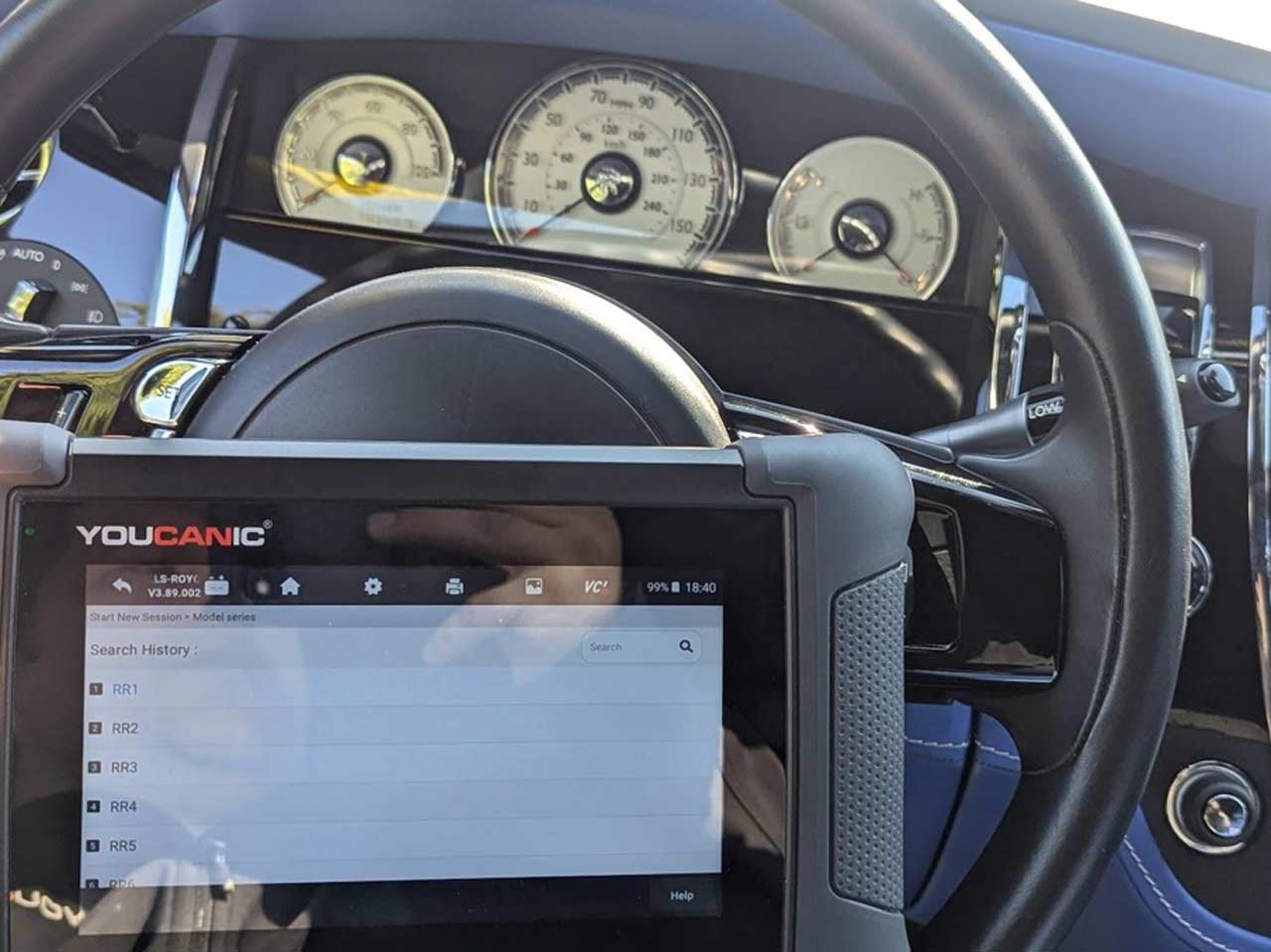
After a detailed analysis of both scanners, I ultimately went with the YOUCANIC UCAN-II-C as my diagnostic tool of choice for personal DIY use. The Thinkcar 689BT certainly tempted me with its larger 8″ screen and impressive feature list are hard to ignore. In fact, aside from the screen and maybe a hair more speed, there’s not much the 689BT can do that the YOUCANIC cannot. Both will let me diagnose complex issues, run active tests, and perform maintenance adaptations on virtually any car I’ll encounter. However, a few critical factors swayed my decision in favor of YOUCANIC:
- Reliability of Updates and Support: I wanted a tool I could count on for the long haul. Seeing that YOUCANIC has a clear commitment to free lifetime updates – and a smaller, dedicated user base they actively support – gave me confidence that my scanner won’t become obsolete or require unexpected fees in a couple of years. The thought of having U.S.-based support on standby (during the same hours I’d likely be working on my car) is reassuring. On the flip side, I had nagging doubts about Thinkcar’s true intentions with “lifetime” updates, given their history. I also took note of the negative customer service stories tied to Thinkcar. I value my time and sanity – if something goes wrong, I know I can reach out to YOUCANIC and get real help, rather than potentially waiting for a slow email from overseas.
- Transparency and Trust: When spending this kind of money, I prefer dealing with a company that’s straightforward. The revelation that Thinkcar’s site reviews were not fully transparent (only ~40% verified, Bronze-level honesty) raised a red flag. In contrast, YOUCANIC didn’t filter out minor critiques in its reviews (such as users openly wishing for a bigger screen) and still maintained an excellent reputation on com. That honesty actually increased my trust. I also noticed YOUCANIC doesn’t make exaggerated claims; they let real user success speak, like the stories of DIYers saving hundreds on repairs using their scanner, like this one on gaugemagazine.com. This aligns with my values. I’d rather buy from the company that earns customers with results, not one that might be gaming the system to appear perfect.
- DIY-Centric Features: The main goal for me was to have a scanner that not only pulls codes but also helps me fix the car. YOUCANIC’s integration of how-to resources and their background in teaching DIY repairs tipped the scales. For example, if I get a trouble code, the scanner can provide additional info, or I can quickly find a related guide on YOUCANIC’s site. It’s like having a digital assistant that points me in the right direction. Thinkcar, while powerful, would leave that research entirely to me. I considered how I’d actually use the tool: if my ABS light is on, both scanners can tell me it’s a right-rear wheel speed sensor issue. But the YOUCANIC might also have a video or article on how to test/replace that sensor, whereas with Thinkcar, I’d start googling. Over time, that built-in knowledge base is worth a lot to me – it saves time and increases my confidence in tackling unfamiliar problems.
- Active Test Needs: I do a lot of my own maintenance and occasionally help friends/family with their cars. I anticipate using active tests for things like bleeding brakes or testing actuators. Both scanners handle these, but I saw multiple sources noting YOUCANIC had a very broad array of such tests. In one case, a user found their YOUCANIC could do functions that their friend’s Launch scanner couldn’t. Knowing that, I’m confident I won’t hit a roadblock where “oh, my tool can’t perform that function.” And if I ever did, I believe YOUCANIC’s team would listen and possibly include it in an update – that’s the vibe I get from their responsiveness.
- Value Over Specs: Finally, I considered the value I’m getting. Thinkcar 689BT fluctuates between $480 and $600 during the time of my research. While the YOUCANIC UCAN-II-C was cheaper and listed between $470 to $490. Thinkcar gives a bigger screen and maybe 5-10% faster operation; YOUCANIC gives me superior support, knowledge resources, and peace of mind. For a DIYer like me, the latter are far more valuable. As one reviewer succinctly put it, “You can spend more for the same functionality… and settle for lackluster performance or you can skip that, get customer support directly from people who just want to help you get back on the road. That statement hit home. I’m not just buying a gadget; I’m investing in a solution to car headaches. YOUCANIC aligns with that philosophy by delivering great functionality and standing by the user after the sale. It delivers what I need without compromise, whereas Thinkcar, in my assessment, had a small cloud of uncertainty despite its high-end features.
In conclusion, the Thinkcar 689BT is undeniably a powerful scanner; it packs a punch with its features and would likely serve many DIY mechanics well, especially those who prioritize a large display and are willing to navigate support issues on their own. However, for primary personal DIY use, I found the YOUCANIC UCAN-II-C to be the superior choice. The combination of free lifetime updates, a user-friendly interface, robust support, and the wealth of free repair resources delivers a level of value and confidence that is hard to match. After weighing the pros and cons in detail, I’m confident that the YOUCANIC scanner will not only help me diagnose problems but also guide me through fixing them, making it an indispensable tool in my garage for years to come. And as a DIYer, that means more successful repairs, more money saved, and the empowering feeling that “Yes, you can” take control of your car’s diagnostics, exactly what I was looking for. While I found YOUCANIC UCAN-II-C listed on Walmart as well, the lowest price I could find was on their official website https://shop.youcanic.com/