Power banks seem simple until you start comparing models and encounter confusing terms like “20,000mAh” or “18W PD.” These specifications actually tell you exactly how a power bank will perform in real-world use—if you know how to read them. Choosing the wrong capacity or wattage could leave you with a power bank that charges too slowly, doesn’t fully recharge your devices, or takes forever to refill itself. In this article, we’ll decode every major power bank specification and explain how to pick the perfect one for your smartphone, tablet, or laptop.
1. Capacity
What It Measures: Total Energy Storage
The mAh (milliampere-hour) rating represents a power bank’s total energy capacity—think of it like the size of a gas tank. A 10,000mAh power bank contains roughly the same energy as a smartphone battery with 10,000mAh capacity. However, due to energy conversion losses (about 20-30%), you’ll never get the full rated capacity as usable power for your devices. Higher numbers mean more potential charges: 5,000mAh can typically recharge a modern smartphone once, while 20,000mAh models might handle 4-5 full charges. Remember that physical size increases with capacity—a 30,000mAh power bank will be significantly larger and heavier than a 10,000mAh one.
Real-World Meaning: How Many Full Charges You Get
Your phone’s battery size determines how many charges you’ll actually get. For example, if your phone has a 4,000mAh battery, a 10,000mAh power bank (accounting for 20% conversion loss) would provide about two full charges (8,000mAh usable). Tablets and laptops require much more power—a 12-inch MacBook with a 5,000mAh battery might only get 1.5 charges from that same 10,000mAh power bank.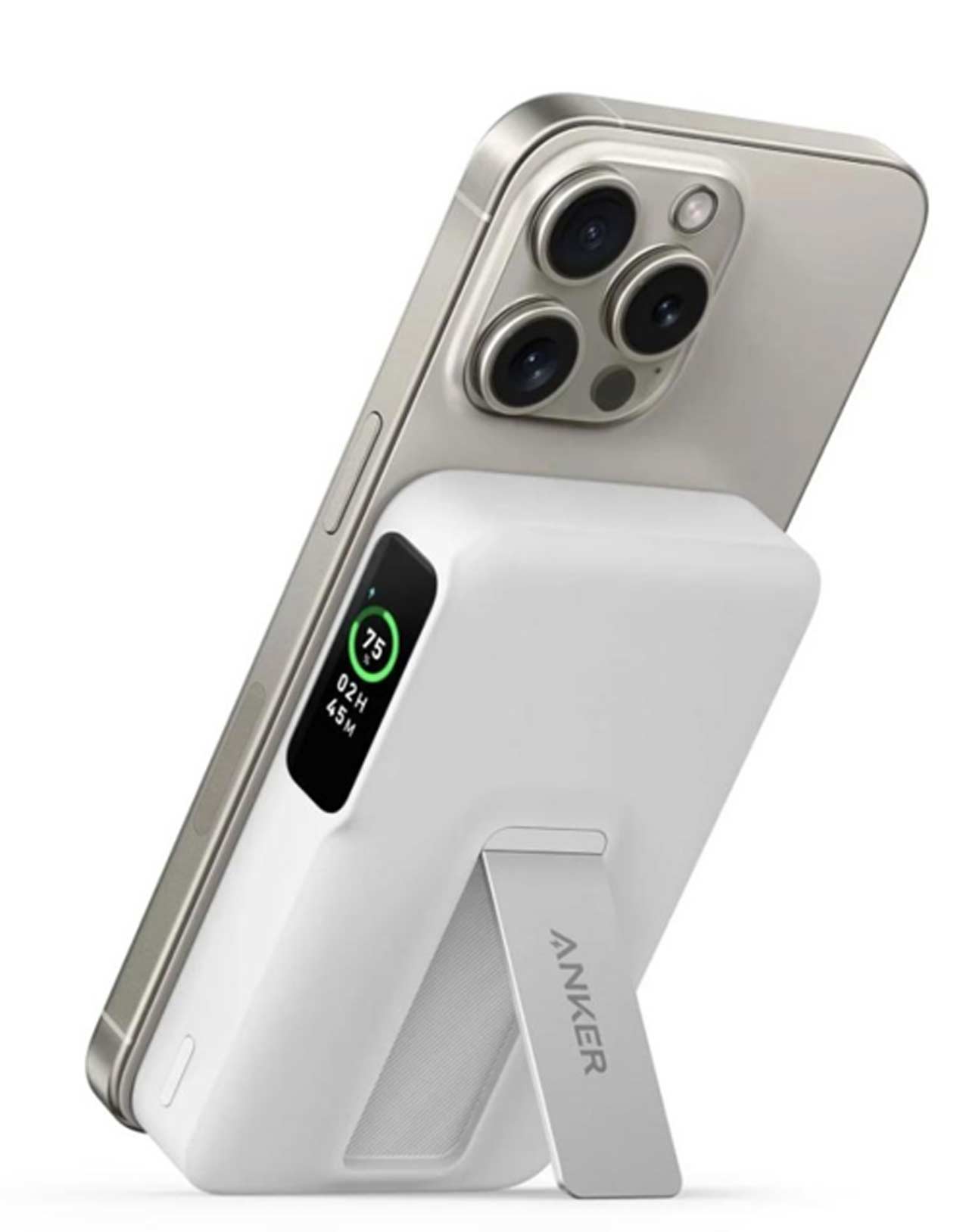
2. Output Power
What It Measures: Charging Speed Capability
Wattage determines how fast a power bank can charge your devices. Standard USB ports output 5V/2.4A (12W), which works for basic charging but feels slow for modern smartphones. Fast-charge capable power banks offer 18W, 30W, or even 100W outputs—the higher the wattage, the quicker your device charges. Wattage matters most for larger devices; while a phone might only draw 18W maximum, laptops often need 45W or more to charge properly.
Real-World Meaning: Fast Charging Compatibility
Your device’s maximum charging speed determines whether you’ll benefit from high-wattage power banks. An iPhone 14 supports up to 20W charging, so using a 30W power bank won’t make it charge faster—but a 12W power bank would slow it down. Many Androids phones support 25W or 45W fast charging when paired with compatible power banks. For laptops, insufficient wattage might only slow charge or maintain battery level during use rather than increasing charge percentage.


3. Input Power (Recharging Speed)
What It Measures: How Fast the Power Bank Refuels
Input power determines how quickly the power bank itself recharges. A 10,000mAh power bank with 10W input might take 10+ hours to fully recharge, while one with 18W input could finish in 5-6 hours. High-capacity models (20,000mAh+) often support 30W-45W input for practical recharging times—without this, you might need to leave it plugged in overnight. Some premium power banks even match their output and input wattage, allowing equally fast charging in both directions.
Real-World Meaning: Overnight vs. Quick Top-Ups
Consider your recharging habits when evaluating input power. If you always charge your power bank overnight, even slow 5W input may suffice. But if you frequently drain your power bank and need it ready again quickly (like during travel), look for at least 18W input—preferably matching your phone charger’s wattage so you can use the same adapter. Some power banks support “pass-through charging,” allowing them to charge devices while being recharged themselves, though this often slows both processes and generates more heat.
4. Charging Standards (PD, QC, etc.)
Power Delivery (PD) and Quick Charge (QC) are protocols that enable faster, smarter charging between devices and power banks. USB Power Delivery (PD) is the universal standard used by most modern smartphones, tablets, and laptops—it negotiates the optimal voltage (5V, 9V, 12V, etc.) for each device. Qualcomm Quick Charge (QC) is primarily for Android devices, with versions like QC3.0 and QC4+ offering different speed improvements. Your power bank should support the same standards as your devices for maximum charging speeds.
5. Port Types & Counts
USB-A: Older, Slower Standard
The rectangular USB-A ports found on older power banks typically max out at 12W (5V/2.4A), though some support Quick Charge up to 18W. These work fine for basic charging of phones, earbuds, or smartwatches but lack the speed for modern fast charging or laptops. Many power banks include one USB-A port alongside newer options for backward compatibility with older cables and devices. However, as more devices switch to USB-C, the usefulness of USB-A ports is declining.
USB-C: Modern, Reversible, Supports PD
USB-C has become the universal charging port for good reason—its reversible design eliminates frustration, and it supports high-wattage Power Delivery. On power banks, USB-C ports often serve dual purposes: for charging devices (output) and recharging the power bank itself (input). Look for power banks where the USB-C port supports at least 18W output if you want fast charging for phones, or 45W+ for laptops. Some premium models feature multiple USB-C ports with dynamic power distribution that adjusts wattage based on connected devices’ needs.
Wireless: Qi Compatibility & Wattage
Wireless charging power banks add convenience at the cost of efficiency. Most support the Qi standard at 5W, 7.5W, or 10W output—the higher the wattage, the faster your phone charges, assuming it supports that speed. However, wireless charging generates more heat and loses about 30% of energy compared to wired connections. These power banks usually include at least one wired port as well, since wireless charging alone would drain the battery too quickly for practical use. Placement matters too—some designs require precise phone alignment, while others have larger charging areas that work through phone cases.
Conclusion
Choosing the right power bank comes down to balancing capacity, speed, and portability for your specific devices and lifestyle. Frequent travelers should prioritize high capacity with fast recharging, while commuters might prefer slim 10,000mAh models that fit easily in bags. Laptop users need at least 45W USB-C PD output, whereas smartphone-only users can save money with 18W-30W options. For reliable performance across all categories, Anker’s power banks consistently earn high marks for their accurate capacity ratings, durable construction, and smart power management. Whatever you choose, understanding these specs ensures your power bank will keep all your devices running smoothly wherever you go.