Tired of Basic AI Output? Unlock ChatGPT’s Advanced Mode with These 7 Prompts
Transform Basic Replies Into Smarter, Tailored, Expert-Level AI Outputs


Have you ever used ChatGPT and thought, “Why does this answer feel so plain?” You are not alone. Most people get basic and simple results because they use simple prompts. When the prompt is basic, the answer becomes basic too. But here is the good news: you can fix this quickly. With advanced ChatGPT prompts, you can unlock something like an “advanced mode” inside the AI. This lets ChatGPT think deeper, act smarter, and give you results that feel more professional.
Many users do not know this secret. They type one short line and hope for magic. But powerful AI needs clear roles, structure, and context. That is why your replies may feel generic. They lack the details that help ChatGPT understand what you truly want.
However, once you use advanced prompt engineering, everything changes. ChatGPT starts giving you creative, high-quality AI outputs that sound expert and detailed. Even better, these prompts help the AI understand your goal, your tone, and your style.
In this post, you will learn how to use 7 simple but powerful prompts that turn ChatGPT into an expert. With them, you will get answers that are richer, sharper, and far more helpful. You will learn how to make ChatGPT follow a role, think step by step, ask smart questions, and refine its own work. Each prompt will help you get smarter, deeper, and more tailored results.


So, if you are tired of boring replies and want professional output every time, you are in the right place. Get ready to unlock ChatGPT’s advanced side and take your results to a whole new level.
What Are Advanced ChatGPT Prompts? (And Why They Work Better)
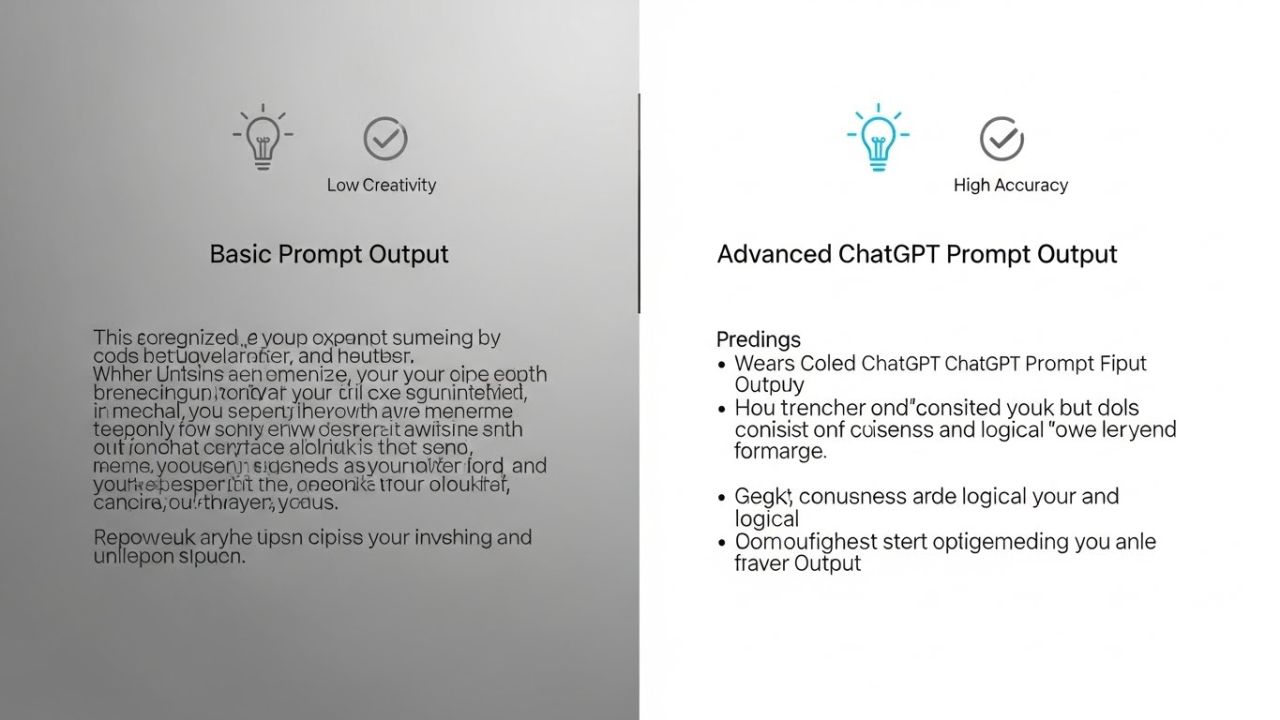
Most people use ChatGPT by typing short, simple lines. But simple lines create simple answers. That is the big difference between basic prompts and advanced ChatGPT prompts. A basic prompt says, “Write this.” But an advanced prompt shows ChatGPT how to think, what to focus on, and what style to use. This is why advanced prompts always work better.
With advanced prompt engineering, you guide the AI with more details. You give it a role, a tone, and a clear purpose. You also explain the steps it should take. This makes the answer more accurate, more creative, and more useful. Because when ChatGPT understands your full context, it creates high-quality AI outputs instead of flat, generic text.
The real magic happens when you use a full prompt framework. This includes structure, examples, and constraints. Structure helps ChatGPT stay organised. Context helps it understand your goal. And constraints help it stay on track. When you mix these three, the AI becomes smarter, sharper, and more focused.
This is why expert users get better results. They do not type only one line. They give ChatGPT a clear map to follow. As a result, the AI thinks deeper, creates better ideas, and delivers professional output with ease.
So, if you want ChatGPT to act like an expert and not a beginner, start using advanced prompts. They help you unlock more accuracy, more creativity, and more control—one smart prompt at a time.
How to Turn ChatGPT Into “Expert Mode” Using Advanced Prompt Engineering

If you want ChatGPT to give expert answers, you must teach it how to act like an expert. This is where advanced ChatGPT prompts help the most. They tell the AI who it should be, how it should speak, and how it should think step by step. When you do this, you unlock something like an “expert mode” inside the AI.
First, you start with role assignment. This means you tell ChatGPT to act as a doctor, teacher, marketer, lawyer, coach, or any expert you need. When you set a clear role, the AI begins to think in that style. As a result, you get expert-level outputs that are deeper, sharper, and more helpful.
Next, focus on the tone, style, and persona. You can make ChatGPT sound friendly, formal, simple, creative, or professional. This is called persona calibration, and it helps you get answers that match your exact goal. A strong tone makes the message clear. A strong style makes the message easy to understand.
Then, use multi-step reasoning prompts. These prompts help the AI think slowly and carefully. You tell it to break problems into steps. You guide it to check its own work. This improves accuracy and helps avoid mistakes. It also creates more high-quality AI outputs that feel like human-level thinking.
So, when you mix roles, style, and step-by-step reasoning, ChatGPT becomes smarter and more powerful. Use these prompt engineering techniques, and you will unlock true expert mode—anytime you want.
The 7 Power Prompts to Unlock ChatGPT’s Advanced Mode

Unlocking ChatGPT’s advanced mode is easier than you think with the right prompts. In this section, we’ll explore 7 power prompts designed to transform basic AI responses into smarter, deeper, and more tailored outputs.
From expert role instructions to self-optimisation techniques, these prompts help you get high-quality AI outputs, boost creativity, and take full control of ChatGPT’s capabilities for professional and personal use.
1. The Expert Role Prompt — Get Professional-Grade Output
The first advanced ChatGPT prompt you need is the Expert Role Prompt. This prompt tells ChatGPT to act like a professional in a specific field. When you define expertise, the AI thinks like an expert, not a beginner. This transforms the answer from simple or generic into high-quality AI outputs that are accurate, detailed, and practical.
For example, if you ask ChatGPT to “Give tips on healthy eating,” it may give a short, basic list: “Eat fruits, drink water, exercise.” It is correct but lacks depth.
Now, using the Expert Role Prompt, you can change it like this:
“Act as a certified nutritionist. Give a detailed guide on healthy eating for kids. Include meal ideas, snacks, and tips to make it fun. Use a friendly and easy-to-understand tone.”
With this advanced prompt, ChatGPT produces a well-structured, creative, and professional answer. It provides complete meal plans, fun snack ideas, and explains why each choice is healthy. The tone is friendly, perfect for kids or beginners.
Template you can use:
“Act as a [role/professional]. Provide [type of output] on [topic]. Include [details, style, tone].”
This small change in instruction makes a huge difference. By giving ChatGPT a clear role, you unlock smarter thinking, better reasoning, and richer content. It’s one of the easiest ways to get expert-level responses and truly powerful ChatGPT outputs.
Using the Expert Role Prompt is the first step to mastering advanced prompt engineering.
See Also: 120+ Best AI Prompts for Content Creators: Unlock Viral Ideas Instantly
2. The Multi-Layer Context Prompt — Eliminate Generic Replies
The second advanced ChatGPT prompt is the Multi-Layer Context Prompt. This prompt helps ChatGPT understand your request in more depth. Instead of giving basic or generic answers, it provides detailed, relevant, and high-quality AI outputs. By adding multiple layers of context, the AI can see the bigger picture and give smarter responses.
For example, if you ask ChatGPT: “Write tips for studying,” it may give a short list like: “Study regularly, take breaks, and sleep well.” Useful, but generic.
Now, using a Multi-Layer Context Prompt, you can say:
“Act as an experienced tutor. Write a detailed study guide for a 10-year-old struggling with math. Include daily routines, fun exercises, and memory techniques. Make it easy to follow and motivating.”
The AI now produces a step-by-step, personalised, and engaging guide. It considers the age, skill level, learning style, and tone, giving much richer and more helpful results.
Template you can use:
“Act as a [role/expert]. Provide [output type] for [audience] about [topic]. Include [details, tone, context layers].”
By giving ChatGPT multiple layers of context, you ensure each answer is accurate, tailored, and far more useful. It stops generic replies and boosts creativity and relevance.
Using the Multi-Layer Context Prompt is a key way to unlock advanced ChatGPT performance, making every response smarter, deeper, and perfectly aligned with your needs.
3. The Step-by-Step Reasoning Prompt — Perfect for Complex Tasks
The third advanced ChatGPT prompt is the Step-by-Step Reasoning Prompt. This prompt helps the AI think slowly and carefully. Instead of giving quick, simple answers, ChatGPT breaks problems into steps, improving logic, strategy, and problem-solving. It’s perfect for complex tasks where one small mistake can make the answer wrong.
For example, if you ask ChatGPT: “Explain how to start a small business,” it may give a short answer like: “Plan, register, and sell products.” Correct, but too simple and missing details.
Now, using a Step-by-Step Reasoning Prompt, you can say:
“Act as a business consultant. Explain step by step how a beginner can start a small online business. Include planning, legal steps, marketing strategies, and common mistakes to avoid.”
The AI now produces a clear, detailed guide, with each step explained in order. It covers planning, registration, marketing, and practical advice. The output is structured, accurate, and high-quality, making it much easier to follow.
Template you can use:
“Act as a [role/expert]. Solve [problem/task] step by step. Include [details, instructions, tips].”
By using this advanced prompt, ChatGPT becomes like a smart tutor or consultant, thinking logically and providing solutions you can actually use. It prevents mistakes, improves reasoning, and delivers more professional outputs.
The Step-by-Step Reasoning Prompt is a powerful tool in your toolkit. It transforms generic answers into expert-level results, perfect for problem-solving, strategy planning, and complex AI tasks.
See Also: 260+ ChatGPT Business Prompts Every Entrepreneur Should Know
4. The Cross-Discipline Creativity Prompt — Boost Innovation
The fourth advanced ChatGPT prompt is the Cross-Discipline Creativity Prompt. This prompt helps ChatGPT combine ideas from different fields to create unique and innovative solutions. Instead of giving simple answers, the AI can mix knowledge from multiple areas, producing high-quality AI outputs that are smarter and more creative.
For example, if you ask ChatGPT: “Give ideas for a school project,” it may provide basic suggestions like: “Build a volcano or make a poster.” Useful, but ordinary.
Now, using a Cross-Discipline Creativity Prompt, you can say:
“Act as a science and art expert. Give innovative school project ideas that combine biology, technology, and creative design. Include fun activities, visual concepts, and learning outcomes.”
The AI now creates ideas that are exciting and multi-layered, such as designing a robotic plant that tracks sunlight or making a digital art project showing the life cycle of animals. Each suggestion blends science, technology, and creativity, giving richer, more engaging results.
Template you can use:
“Act as a [role/expert] in [fields]. Provide [output type] that combines [topics/fields]. Include [details, style, examples].”
By using this advanced prompt, ChatGPT becomes a creative thinker, able to explore ideas beyond a single topic. It improves innovation, originality, and the depth of your outputs.
The Cross-Discipline Creativity Prompt is perfect for generating fresh, imaginative, and professional content. It helps you move past generic answers and unlock the advanced capabilities of ChatGPT.
5. The “Before You Answer, Ask Questions” Prompt — Get Tailored Outputs
The fifth advanced ChatGPT prompt is the “Before You Answer, Ask Questions” Prompt. This technique makes ChatGPT ask clarifying questions before giving a final answer. By doing this, the AI provides accurate, personalised, and high-quality outputs that perfectly match your needs.
When people use simple prompts, ChatGPT may guess and give generic answers. But with this advanced prompt, the AI first gathers details, understands your goal, and then delivers smarter responses. This ensures clarity and prevents mistakes.
For example, a basic prompt like “Give tips for improving writing skills” may give a short, general list: “Read more, write daily, and edit your work.” Helpful, but not tailored.
Using the advanced prompt, you can write:
“Before answering, ask me 3 questions to understand my writing level, goals, and preferred style. Then, provide a detailed guide to improve my writing with examples and exercises.”
Now, ChatGPT first asks clarifying questions, like: “Do you write stories, essays, or articles? What age group are you writing for? What is your current skill level?” After your answers, the AI delivers a personalised guide that fits you perfectly.
Template you can use:
“Before answering, ask [number] questions to clarify [details]. Then provide [output type] with [style, tone, examples].”
The “Before You Answer, Ask Questions” Prompt ensures every response is tailored, accurate, and more useful. It is a key technique for unlocking ChatGPT’s advanced capabilities and achieving expert-level results.
6. The Format-Perfect Output Prompt — Blogs, Scripts, Plans & More
The sixth advanced ChatGPT prompt is the Format-Perfect Output Prompt. This prompt ensures that ChatGPT delivers answers in a well-structured, clear, and professional format. Whether you need a blog, script, plan, or report, this prompt helps the AI organise ideas perfectly, making the output easy to read and use.
Without proper formatting, even great content can look messy. Sentences may be jumbled, lists may be unordered, or instructions may be unclear. Using the Format-Perfect Output Prompt, ChatGPT follows your chosen style and structure, giving you high-quality AI outputs that are polished and professional.
For example, a basic prompt like “Write a blog about productivity tips” may produce a few paragraphs without headings, lists, or clear flow.
Now, using the advanced prompt, you can write:
Act as a professional content writer. Write a blog about productivity tips in 500 words. Include an introduction, 5 bullet points, a conclusion, and bold headings. Make it clear, structured, and easy to read.
The AI now produces a fully organised blog with headings, bullet points, and smooth transitions. It looks professional, is easy to follow, and saves you editing time.
Template you can use:
“Act as a [role/expert]. Provide [output type] in [format] with [structure, headings, style, tone].”
The Format-Perfect Output Prompt is perfect for anyone who wants error-free, structured, and high-quality content. It ensures ChatGPT delivers outputs that are ready to use, professional, and engaging every single time.
7. The Self-Optimisation Prompt — Make ChatGPT Upgrade Its Own Response
The seventh advanced ChatGPT prompt is the Self-Optimisation Prompt. This powerful prompt pushes ChatGPT to refine, critique, and improve its own output. Instead of stopping at the first answer, the AI can review, enhance, and produce a stronger, more polished response.
Without self-optimisation, even good answers may lack depth, clarity, or creativity. Using this prompt ensures that every reply is high-quality, accurate, and professional. It’s like having a built-in editor checking the AI’s work before delivering it to you.
For example, a basic prompt like “Write a short story about a dragon” may produce a simple tale: “A dragon lived in a cave. He liked to fly and eat treasure.” Correct, but plain.
Using the Self-Optimisation Prompt, you can say:
Write a short story about a dragon. Then, review your story and improve it by adding dialogue, emotions, and a plot twist. Make it exciting and suitable for kids.”
Now, ChatGPT delivers a richer story with interesting dialogue, clear scenes, and a captivating plot. The AI critiques its own writing, fixes weak points, and elevates the output.
Template you can use:
“Provide [output type]. Then, review and optimise it by [details, improvements, style].”
The Self-Optimisation Prompt is perfect for getting the best possible results. It lets ChatGPT upgrade its own response, giving you expert-level, polished outputs every time. This is the ultimate trick for mastering advanced ChatGPT prompts.
Best Practices for Using Advanced ChatGPT Prompts (Avoid These Common Mistakes)
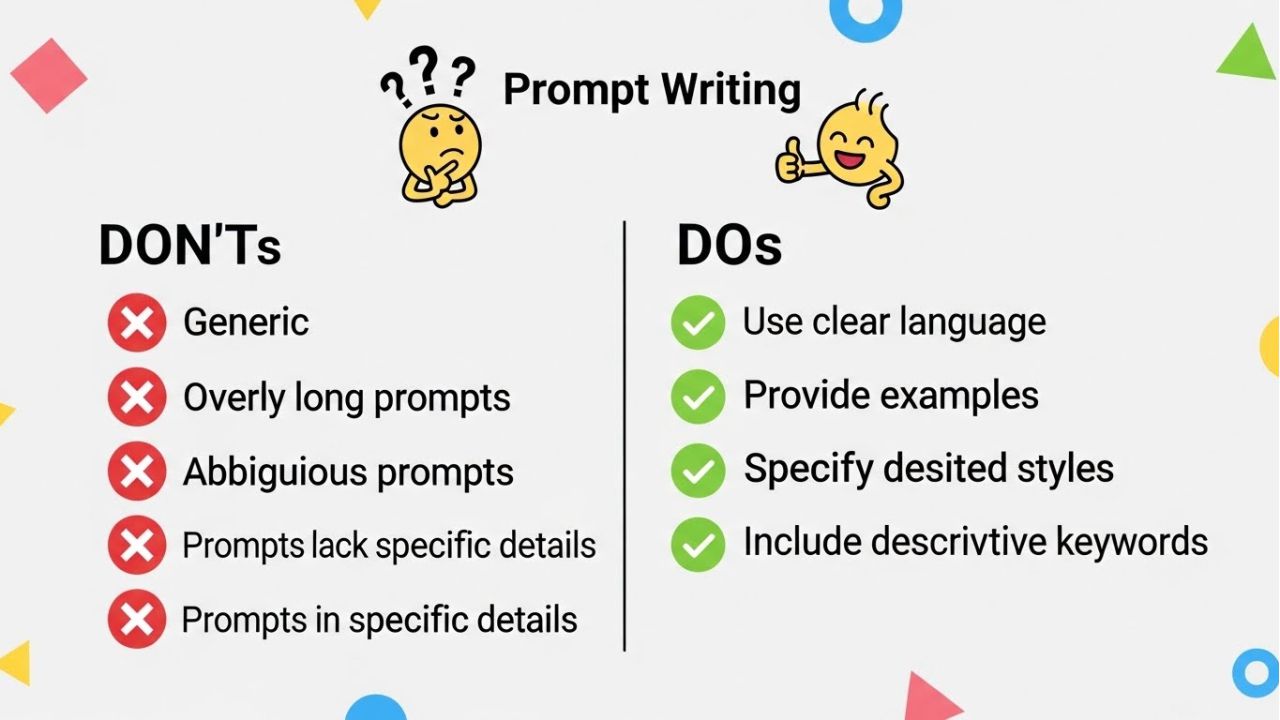
Using advanced ChatGPT prompts can make your AI results smarter and more creative. But to get the best output, you must avoid a few common mistakes. When people skip these steps, their answers become messy, boring, or confusing. So let’s make sure you use advanced prompts the right way.
First, avoid vague instructions. If your prompt is unclear, ChatGPT will guess. And guessing leads to generic or weak answers. Instead, use clear, simple lines that tell the AI exactly what you want. This helps you get high-quality AI outputs fast.
Next, do not forget examples or structure. Examples act like a guide. Structure gives ChatGPT a path to follow. Without them, your results may lose focus. But with them, the AI becomes more accurate, organised, and helpful.
Also, be careful not to overload the prompt. Too much text can confuse the AI. But too little text under-explains your goal. You must stay in the middle. Give enough details to show direction, but keep the instructions clean and simple.
Finally, learn to balance creativity and control. ChatGPT can be very creative. But too much freedom can make the answer wander. And too many rules can make it stiff. So, guide the AI with clear limits, while still giving room for creative ideas. This balance leads to better thinking and deeper responses.
When you follow these best practices, your advanced prompts become powerful. And with every prompt, your AI output becomes smarter, stronger, and far more useful.
Bonus Tips: Tools & Add-On Techniques to Boost ChatGPT’s Performance

If you want ChatGPT to become even smarter, you can use a few extra tools and tricks. These add-on techniques work well with advanced ChatGPT prompts and help you get the best results every time. They make the AI more accurate, more creative, and more focused on your goals.
First, try using system prompts. A system prompt is a special instruction that tells ChatGPT how to behave from the very start. It sets the rules, tone, and mindset. When you use it, the AI stays in character and gives high-quality AI outputs that match your needs.
Next, use the reference text. This means you share examples, notes, or content that the AI should learn from. When ChatGPT sees real samples, it understands your style better. It also creates answers that sound more natural and more correct.
Then, use iterative refinement. This simply means you improve the answer step by step. You ask ChatGPT to rewrite, polish, or adjust the output. Each round makes the result stronger. This is one of the easiest ways to boost accuracy and clarity.
Finally, let ChatGPT check your own prompt quality. Yes—you can ask the AI to review your instructions. It can tell you what’s missing, what’s unclear, and what you should fix. This helps you upgrade your prompts and get smarter answers next time.
When you use these tools along with advanced prompts, ChatGPT becomes more powerful. With a few smart steps, you unlock expert-level performance with ease.
Real Examples: Basic Prompt vs. Advanced Prompt Output Comparison
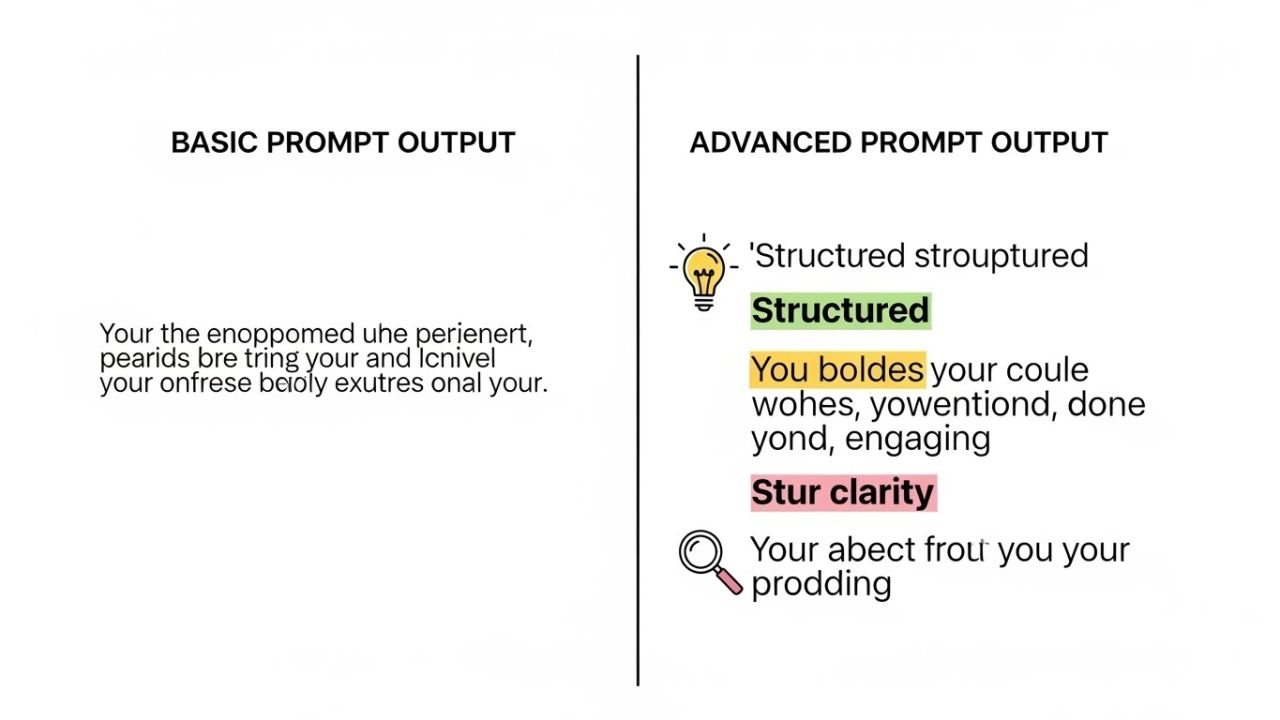
Seeing is believing. One of the best ways to understand advanced ChatGPT prompts is by comparing them to basic prompts side by side. This shows how much difference a well-crafted prompt can make in depth, tone, and accuracy.
For example, a basic prompt might say: “Write a story about a dog.” ChatGPT will give a simple story, like: “A dog played in the park. He was happy.” The answer is correct but plain, short, and lacks detail.
Now, let’s use an advanced ChatGPT prompt: “Act as a children’s storyteller. Write a 200-word story about a clever dog who solves a mystery in a park. Use fun dialogue, describe the park in detail, and make it exciting for kids.”
The AI now creates a story full of colour, emotion, and action: the park is alive with sounds, the dog talks to friends, and the mystery keeps readers curious. The result is richer, more creative, and more professional output than the basic prompt.
This side-by-side example clearly shows why advanced prompts work better. By adding structure, context, and specific instructions, ChatGPT can go deeper, think smarter, and produce outputs that feel expert-level.
When you use advanced prompt engineering, every response becomes more accurate, engaging, and tailored to your needs. Small changes in your prompt lead to big improvements in tone, clarity, and creativity.
So, if you want high-quality AI outputs, always think like an expert and craft your prompts carefully. The results speak for themselves.
Final Thoughts: Unlock the Real Power of ChatGPT Today
Now you can see how strong and smart your AI becomes when you use advanced ChatGPT prompts. Simple prompts give simple answers, but advanced prompts unlock advanced mode. With the right structure, clear roles, and step-by-step thinking, ChatGPT can create deep, creative, and accurate results that feel truly professional.
Remember, these 7 prompts are only the beginning. When you mix them, edit them, and customise them for your own tasks, the output becomes even better. So don’t be afraid to try new ideas. Change the tone. Add more context. Ask for deeper reasoning. Every small tweak helps ChatGPT produce high-quality AI outputs that match your goals.
Also, keep exploring. The more you practice advanced prompt engineering, the easier it becomes to guide the AI. Soon, you’ll be able to turn any simple request into a powerful, high-performance task with just a few clever instructions. The best part? You stay in full control.
So, if you want to keep improving and get smarter results every day, continue learning and keep experimenting. Your best AI output is always one prompt away.
Before you go, make sure to explore more of our AI prompt guides. They will help you think deeper, write better prompts, and use ChatGPT like a pro.
Ready for more? Continue reading our related posts on advanced AI prompts, prompt engineering tips, and expert-level ChatGPT tricks.
Your journey with AI is just getting started—so stay curious, keep exploring, and enjoy the power of advanced ChatGPT prompts.