Finding a replacement for Kling AI isn’t just about getting similar video quality. YouTube creators may need cinematic B-roll and consistent characters, while TikTok creators often want vertical clips, trend-inspired videos, and faster production. After testing 15+ AI video tools, five stand out for the different ways they handle these jobs.
1. Pollo AI – Best for Flexible Video Creation and Social Content
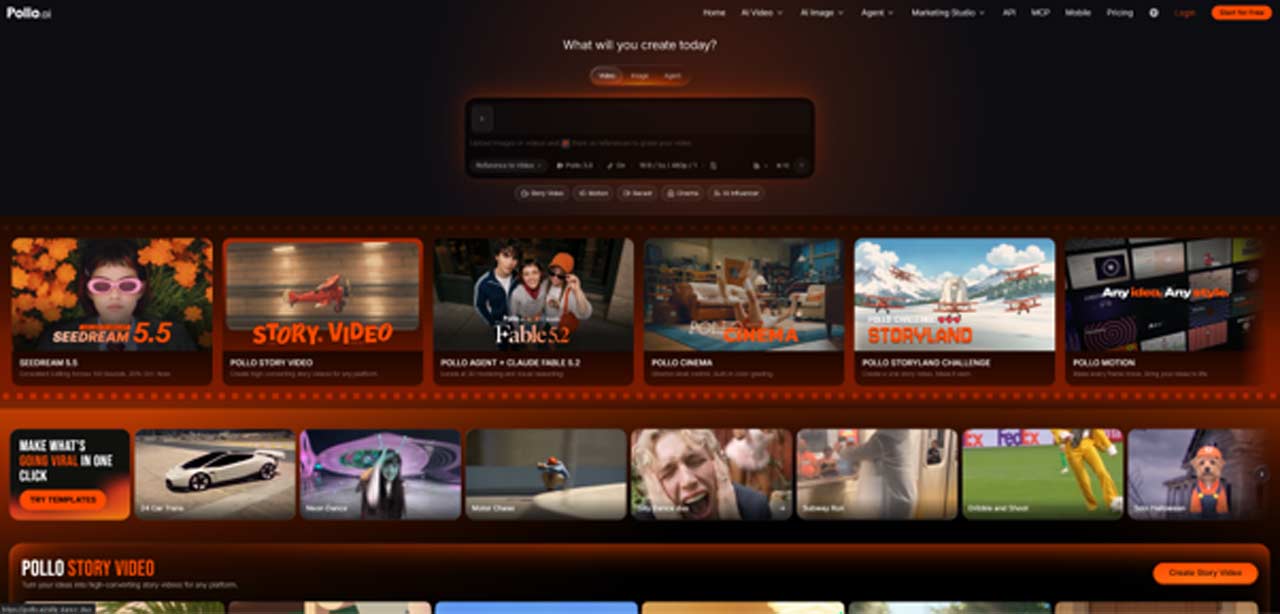
Pollo AI is more than a standalone AI video generator. It’s a creative suite combining multiple video models, generation tools, and production workflows. Its AI Video Generator supports text-to-video, image-to-video, and reference-to-video, with the flexibility to switch models when one doesn’t deliver the desired results.
Pollo AI also provides access to Kling 4.0, so creators don’t have to give up the model entirely. Those seeking alternatives can try Seedance 2.5, MiniMax H3, Wan 3.0, and Veo 3.1 to compare motion, scene consistency, and visual storytelling across different models.


Its specialized tools cover other creative needs. Pollo Recast recreates reference videos with different characters, products, or settings while retaining key actions and camera movements, making it useful for adapting TikTok trends. Pollo Cinema offers director-style control over shots and color, while Pollo Agent turns briefs, scripts, and references into video projects.
For sponsored content, Marketing Studio provides dedicated workflows for UGC video ads, product videos, and URL-to-video creation. While these aren’t direct replacements for Kling’s generation capabilities, they help streamline the surrounding production work.
Strengths
- Multiple video models, including Kling 4.0 and non-Kling alternatives.
- Recast workflows for recreating trends with different characters or products.
- Dedicated UGC, product video, and advertising tools.
- Additional creative direction and AI-assisted production workflows.
Limitations
The number of models and tools can feel overwhelming at first. Results, generation limits, and available settings also vary by model and subscription.
Best for: Creators who regularly switch between cinematic clips, TikTok trends, product videos, and other social content rather than relying on one generation model.
2. Runway – Best for Cinematic Shots and Camera Control
Runway is a strong option for creators who care more about how a shot looks and moves than how quickly an entire video can be assembled. Unlike Kling AI, its Gen-4.5 model puts particular emphasis on camera direction and shot composition, supporting text-to-video and image-to-video generation with detailed prompts.
That level of direction is useful for YouTube creators who need convincing B-roll or cinematic transitions but don’t have the footage themselves. A travel channel, for example, could animate a landscape reference into a moving establishing shot. TikTok creators can use the image-to-video workflow to turn existing visuals into vertical clips without starting from scratch.
The trade-off is clip length. Gen-4.5 currently generates videos lasting 2–10 seconds at 720p. That works well for individual shots, but longer videos still need several generations and some editing.
Strengths
- Detailed camera choreography and scene direction.
- Text-to-video and image-to-video workflows.
- Vertical output available through image-to-video.
Limitations
Short generation durations mean more work when building longer sequences. Text-to-video also supports fewer aspect ratios than image-to-video.
Best for: Creators who care more about cinematic composition and controlled movement than generating complete videos from a single prompt.
3. Google Veo 3.1 – Best for Reference-Based Vertical Videos
Google Veo 3.1 is worth considering when a video needs to follow specific visual references. Its Ingredients to Video workflow lets creators provide images of characters, objects, and backgrounds to guide the generated scene. This is useful when a recurring character or recognizable product needs to look consistent across multiple clips.
For YouTube Shorts and TikTok, native 9:16 generation is another practical advantage. Creators can compose a scene for a phone screen from the start instead of cropping a horizontal video and potentially losing important details around the edges.
Consider a creator making a series of short storytelling videos. Reference images can help establish the appearance of the main character and setting, while individual prompts describe what happens in each scene. Veo 3.1 also offers 1080p and 4K upscaling through supported products such as Flow and Vertex AI.
Strengths
- Reference images help maintain recognizable characters and settings.
- Native 9:16 generation through Ingredients to Video.
- 1080p and 4K upscaling in supported workflows.
- Suitable for short-form visual storytelling.
Limitations
Veo 3.1 is primarily a clip-generation model, not a complete video editing or long-form production platform. Access to particular features also depends on the Google product being used.
Best for: Creators making recurring Shorts, TikTok story series, or reference-heavy videos where visual consistency matters.
4. InVideo AI – Best for Turning Scripts into YouTube Videos
InVideo AI approaches video creation differently from Kling. Rather than focusing mainly on generating individual cinematic scenes, it takes a topic or script and builds a more complete video around it.
The platform can generate a script, select relevant stock footage or AI visuals, add voiceovers, subtitles, music, and assemble the result. Creators can then request changes through text instructions, such as replacing a scene or changing the voiceover.
This is especially handy for YouTube channels that publish tutorials, explainers, news summaries, or faceless videos on a regular schedule. Instead of spending hours sourcing footage and recording narration, a creator can start with an existing script and let the platform handle much of the assembly. Shorter versions can also be prepared for TikTok and other social platforms.
The main difference is that InVideo AI is closer to an automated video production workflow than a dedicated cinematic AI video model.
Strengths
- Turns topics and scripts into complete video drafts.
- Combines footage, AI visuals, narration, subtitles, and music.
- Supports prompt-based changes after generation.
- Useful for regular narrated and educational content.
Limitations
Automatically selected footage and scene arrangements may not match the intended visual style. Creators seeking precise character animation or cinematic camera movements will likely need another generator.
Best for: YouTubers producing explainers, tutorials, and faceless videos, especially those who already have scripts and want to reduce editing time.
5. Pika – Best for Creative Short-Form Clips
Pika is a creative video generation platform with tools for producing and refining short clips. Its Pika H3 Flex model, a post-trained version of MiniMax H3, supports text-to-video, image-to-video, and reference-guided generation.
The reference workflow is particularly interesting for creators who want to build a sequence around existing images or footage. H3 Flex accepts up to 12 reference assets, including images, videos, and audio, giving creators more material to guide a scene. It also supports vertical output, synchronized audio, and up to 4K finishing through the hosted API.
For TikTok creators, these features offer room to experiment with short visual stories, product reveals, and stylized transitions. YouTube creators can use the same approach for intros, animated inserts, or sequences that need a specific visual direction.
Strengths
- Text-to-video, image-to-video, and reference-guided generation.
- Up to 12 reference assets.
- Vertical formats and synchronized audio.
- Up to 4K output through the hosted API.
Limitations
H3 Flex is designed for relatively short clips, generally 5–15 seconds. Longer videos still need to be assembled in an editor, and its connection to MiniMax H3 means it isn’t an entirely independent model family.
Best for: TikTok creators experimenting with short creative sequences and YouTube creators who need reference-guided visual inserts.
Which Kling AI Alternative Should Creators Choose?
There isn’t much point in switching tools just for the sake of switching. The better choice depends on what’s missing from the current workflow.
- For an all-round replacement: Pollo AI is the most flexible option. Its AI Video Generator provides access to several non-Kling models, while Recast and Marketing Studio cover social trends and product content.
- For cinematic footage: Runway is a better match for creators who want detailed camera direction and carefully composed shots.
- For consistent vertical storytelling: Veo 3.1 is worth trying, particularly when reference images and native 9:16 output are important.
- For script-driven YouTube channels: InVideo AI is more practical when the goal is to turn written content into narrated videos with minimal manual assembly.
- For experimental TikTok clips: Pika offers useful reference and audio controls for creators who like trying different visual ideas.
For someone who wants to replace Kling’s generation capabilities without narrowing the rest of the production workflow, Pollo AI is the strongest overall choice. It offers non-Kling models for alternative generations while keeping Kling 4.0 available when a particular project calls for it.
Final Thoughts
Kling AI isn’t necessarily the problem; sometimes the limitation is that one model doesn’t suit every type of video. Runway, Veo 3.1, InVideo AI, and Pika each address different parts of the process.
For creators who want to compare models and produce both regular social clips and more specialized content, Pollo AI is worth a look. Its AI Video Generator, Recast, and Marketing Studio provide different starting points depending on whether the job involves generating a scene, adapting a trend, or making a product video.
FAQs
1. What Is the Best Alternative to Kling AI?
Pollo AI is a strong all-round option for creators who want multiple video models and additional production tools. Runway is better suited to cinematic shot generation, while Veo 3.1 is useful for reference-based storytelling. The right choice depends on the footage and workflow involved.
2. Is Runway Better Than Kling AI?
It depends on the project. Runway Gen-4.5 offers detailed camera direction and strong prompt control, while Kling 4.0 supports longer native generations of up to 30 seconds and up to 10 keyframes. Creators working on short cinematic shots may prefer Runway, while those building longer connected scenes may find Kling more suitable.
3. Which AI Video Generator Is Best for YouTube Shorts and TikTok?
Veo 3.1 and Pika are worth considering for vertical video generation. Pollo AI is another option, particularly for creators who also need trend recreation, product clips, or UGC-style content. InVideo AI is more suitable for narrated videos built around scripts.
4. How Can Creators Keep Characters Consistent Across AI-Generated Videos?
Using reference images is a good starting point. Veo 3.1’s Ingredients to Video workflow and Pika H3 Flex both support reference-guided generation. Creators should also reuse the same character images, describe clothing and appearance consistently, and avoid changing too many visual details between shots. Even with references, generated characters may not remain identical in every frame, so reviewing the clips before editing them together is important.