Toys and kids’ stuff make a lucrative niche for any business. Before you can manufacture these items on a mass scale, you would need a blueprint of the actual product before you can ask to create a prototype. If you have the eye for great design and you also have the talent for digital crafts, then this business could be your destiny!
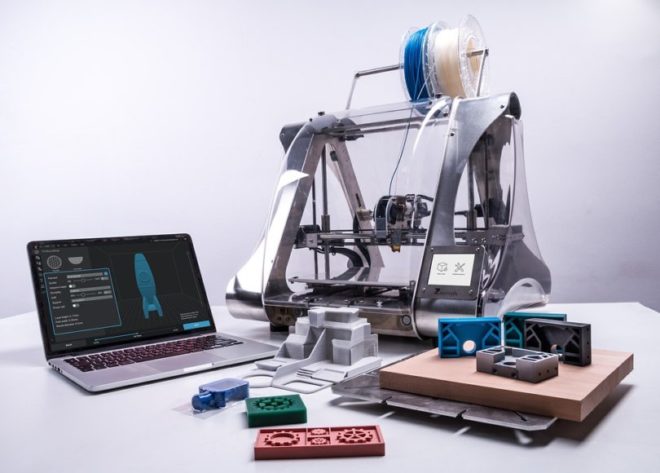
If you want to design your action figures or you want to know how to make custom bobbleheads, check this list of toy design software you can use for free.
TinkerCAD
This software is designed for kids, and it’s one of the most accessible 3d modeling programs around. It runs entirely on the cloud so you can use any computer you like to access. This software teaches all the basic concepts of 3D and enables you to convert an idea into a CAD model by simply dropping and dragging shapes, like cubes, cylinders, and spheres. From there, you can move, rotate, resize each form, and group them to create the 3D model you had in mind.
Recommended: Educational Gifts For Kids- 8 Reasons Why They’re So Great

This free 3D design software also has access to different 3D printer services. With all that in mind, by having a little bit of practice, beginners can make their first 3D model on TinkerCAD easily.
Fusion 360
The Fusion 360 is an accessible software made by Autodesk. You can use it for free when you use it for hobby or startup use, and even if you buy it and pay for the subscription, it’s still incredibly affordable compared to the other packages. It can help you to do parametric modeling and push-pull freeform, and it can work with meshes you bring in stuff from 3d scans. Fusion 360 is the one you need to check out if you’re seeking for designing tools accurately.
Blender
Blender is a free and open-source design software that also has capabilities for 3D modeling, toy and game creation, motion tracking, and more. It has a very steep learning curve, and it was different from the modeling software commonly used. Still, if you are interested in organic modeling, which is 3D sculpting, and creating characters and figurines, we highly recommend using this program. This software is unmatched, knowing the fact that it is an open-source program, and you can get it for free.
SketchUp Free
This software is considered the easiest and most flexible 3D design software available, and it has been around since 2000. It has various versions available, one of them is completely free to use, and anyone can use SketchUp Free by just signing up on the website. It is a browser-based software and is highly recommended to start with because of its smooth learning curve, clear and simple tools, and especially a user-friendly interface.
Meshmixer
This software is a simple 3D designing software made by Autodesk and designed for helping users to manipulate and blend 3D models with ease. That makes it an excellent application for beginners, especially for those users that are curious about 3D printing because it has features that are tailor-made for 3D printing ventures. This software can edit, repair, and manage any model. It also has several sculpting functions made for volumes and surfaces, surface adjustments, as well as several ways to analyze and optimize your design.
This software has a slight learning curve to use, but a little practice will help you to expertise it. Best of all, it’s free to use.
FAQs
Q: What are the best free tools for designing toys?
A: Among the most popular free tools for toy design are Tinkercad, Blender, SketchUp Free, Fusion 360 for personal use, and Meshmixer. You will be able to make, edit, and test your 3D designs of toys before actually creating a prototype.
Q: Is Tinkercad suitable for toy design for beginners?
A: Yes, Tinkercad is an ideal tool for novice users due to its user-friendly drag-and-drop interface which allows creating toy models easily. As it is an online tool, you won’t require a powerful PC to start working.
Related Posts

Q: Are there opportunities for toy design and 3D printing for free?
A: Yes, you may design 3D printable toys using free programs, such as Blender, Tinkercad, or Meshmixer. You’ll be able to create and export your models in proper formats for 3D printing.
Q: Which free toy design software is the best for making detailed models?
A: Blender is the best free software for creating detailed models and toy characters due to its powerful sculpting and modeling tools. Though it takes time to master, this software is totally free and extremely popular.
Q: Do I need design experience to create toy designs?
A: No, you don’t need previous design experience to start. Beginner-friendly tools include tutorials and simple features that help you learn as you go. With regular practice, you can create impressive toy designs even if you’re just starting out.